Screen Time for Kids: Why Not All Screen Time Is Created Equal
If you’ve been searching for advice about screen time for kids, you’re not alone.
Many parents worry that their children are spending too much time on phones, tablets, computers, and gaming consoles. It’s a common concern, especially with games like Roblox, Minecraft, and the endless stream of YouTube videos available today.
You may even find yourself having the same conversation every day:
“That’s enough screen time.”
“Turn off the game.”
“Go do something else.”
If that sounds familiar, here’s a question worth considering:
What if the real issue just isn’t how much screen time your child has, but how they’re spending that time?
That simple shift can completely change the conversation.
Not All Screen Time for Kids Is Equal
When we talk about screen time for kids, we often treat every activity as if it’s the same.
But it’s not.
Think about these two children.
One spends two hours watching random videos, scrolling through social media, and playing the same game repeatedly.
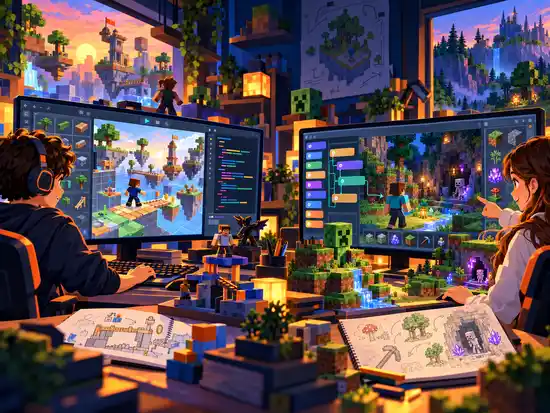
Another spends two hours designing a video game, learning to code, creating digital art, or building something in Roblox Studio.
Both children spent two hours in front of a screen.
Yet one was primarily consuming content, while the other was creating something new.
The screen wasn’t the difference.
The activity was.
Passive vs. Active Screen Time
One of the easiest ways to think about screen time for kids is to separate it into two categories.
Passive Screen Time
Passive screen time includes activities like:
- Endless scrolling
- Watching random videos
- Switching from app to app
- Playing games without creating or learning something new
There’s nothing inherently wrong with entertainment. Kids need time to relax just like adults do.
The problem comes when passive entertainment becomes the primary way children use technology.
Active Screen Time
Active screen time encourages children to think, solve problems, and create.
Examples include:
- Learning to code
- Building games in Roblox Studio
- Creating Minecraft mods
- Designing animations
- Making videos
- Learning to use AI as a creative tool
- Creating digital artwork
Instead of simply consuming technology, children are learning how technology works.
Watching Isn’t the Same as Creating
Here’s an analogy that puts this into perspective.
Imagine your child spends hours watching cooking shows.
Would they automatically become a great cook?
Probably not.
At some point, they have to step into the kitchen and start creating.
Technology works the same way.
Playing Roblox is fun.
Creating Roblox games is a completely different experience.
One provides entertainment.
The other develops creativity, persistence, problem-solving, and technical skills.
What Parents Really Want
Most parents aren’t looking for coding classes because they want their child to become a software engineer.
They’re looking for opportunities that help their children develop skills they’ll use throughout life.
Those skills include:
- Creativity
- Critical thinking
- Problem-solving
- Confidence
- Communication
- Perseverance
- Independent learning
These are often called future-ready skills because they’re valuable regardless of what career a child eventually chooses.
Coding is simply one of the many ways children can practice these skills in an engaging and meaningful way.
Technology isn’t the goal.
It’s the tool.
How Much Screen Time Is Healthy for Kids?
This is one of the most common questions parents ask.
The truth is that there isn’t a single number that works for every family.
Age, maturity, school responsibilities, physical activity, and family routines all matter.
Instead of focusing only on the number of hours, consider asking questions like:
- Is my child creating or simply consuming?
- Are they learning something new?
- Are they balancing screen time with outdoor play, reading, family time, and sleep?
- Are they using technology with purpose?
The quality of screen time for kids is often just as important as the quantity.
A Better Question to Ask Your Child
The next time your child finishes using technology, try asking a different question.
Instead of:
“How much screen time did you have today?”
Ask:
“What did you create today?”
Did you build something?
Did you solve a problem?
Did you learn a new skill?
Did you make something you’re proud of?
That simple question encourages children to think differently about how they use technology.
Raising Creators Instead of Consumers
Technology isn’t going away.
Artificial intelligence, programming, digital creativity, and technology will continue to shape the future our children will grow up in.
Rather than constantly fighting technology, parents have an opportunity to help their children develop a healthier relationship with it.
If your child already enjoys Roblox, Minecraft, or video games, you don’t have to see those interests as obstacles.
They can become a gateway to creativity, coding, game design, and lifelong learning.
Instead of raising children who only consume technology, we can help them become creators.
Final Thoughts on Screen Time for Kids
When parents search for information about screen time for kids, they’re usually looking for ways to protect their children.
That’s an important goal.
But perhaps the better question isn’t simply:
“How much screen time should my child have?”
Instead, ask:
“Is my child creating, learning, and growing while they’re using technology?”
When children use technology to build, design, solve problems, and express their creativity, screens become more than entertainment.
They become tools for learning.
Ready to Help Your Child Become a Creator?
At Create2Discover, we help kids transform their love of Roblox, Minecraft, and technology into valuable skills through online coding, game design, and creative technology classes.
Whether your child is just getting started or ready to build their own games, our goal is simple:
Help kids become creators instead of consumers.
Explore our classes and discover how your child can build future-ready skills while creating something they’re proud of.
Other Resources To Get Your Child Creating
Getting Started With Scratch Programming
Creating a Minecraft Mod in MCreator (Ages 9-14)
STEM Project Using Roblox Studio: (Ages 8-14)
Helping Kids Learn to Code with MIT App Inventor: A Guide for Parents
Helping Kids Learn Independently with Roblox Creator Hub and AI
Comments on this entry are closed.