
Parent guide • Roblox Studio • Online safety & coding
Roblox Studio vs. Roblox Games: What Parents Need to Know About Safety and Coding
Understand the difference between playing public Roblox games and learning to create in Roblox Studio—and how to make informed safety decisions for your child.
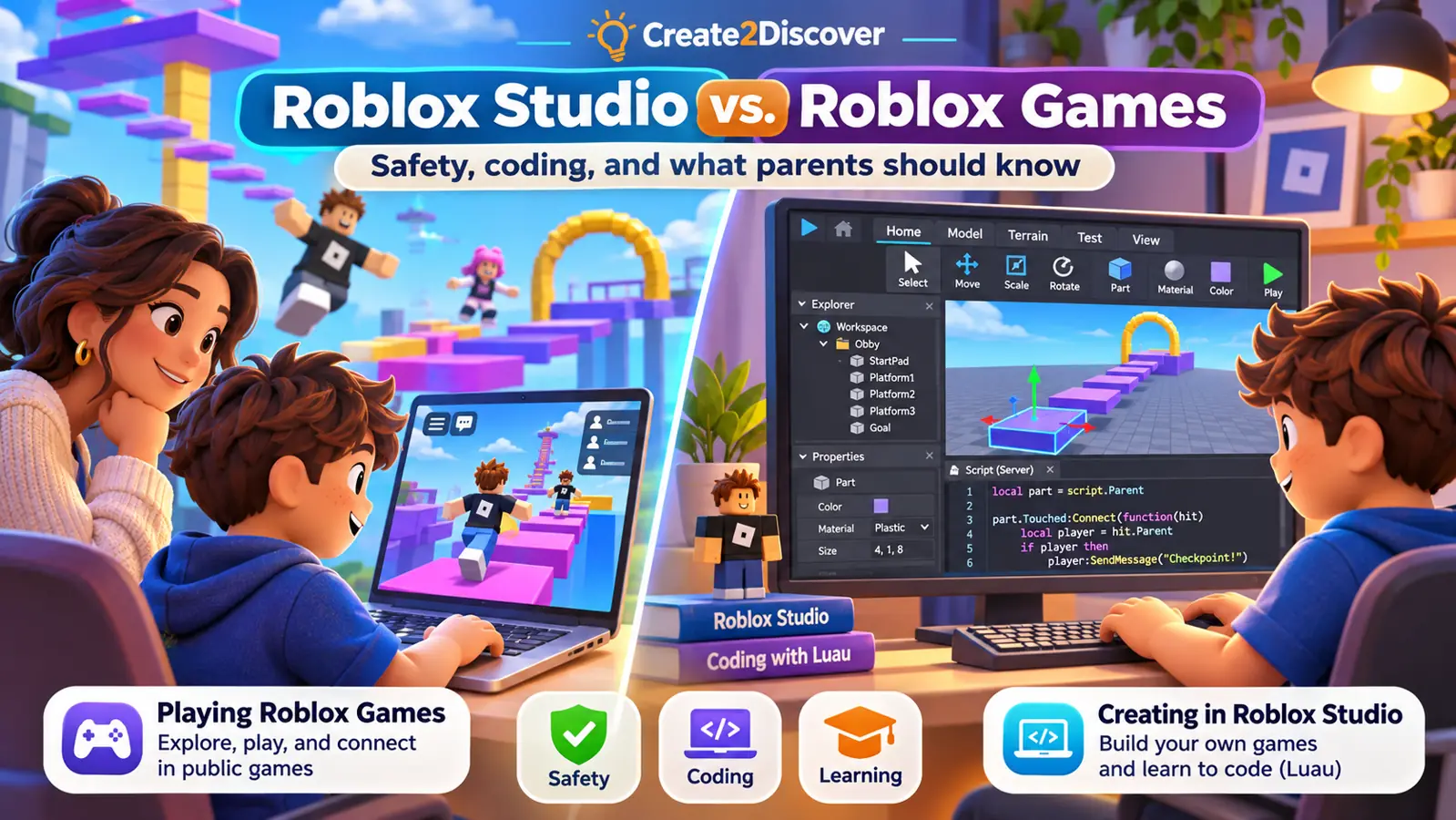
If your child loves Roblox, you may have mixed feelings about it.
On one hand, Roblox has captured the imagination of millions of children. On the other, news about inappropriate content, interactions with strangers, online spending, and other safety concerns can make parents understandably hesitant.
As an educator who teaches children to create games using Roblox Studio, I understand that tension.
I believe two things can be true at once: Children should not be left to explore public Roblox games without appropriate adult supervision, and Roblox Studio can be an excellent tool for teaching coding, creativity, and problem-solving.
The distinction matters because playing games on Roblox and creating games with Roblox Studio are very different activities.
Roblox Studio vs. Roblox: What’s the difference?
Roblox is commonly described as a gaming platform, but it includes two different kinds of experiences.
| Roblox Studio | Roblox games |
|---|---|
| A separate application for designing and programming games | Experiences created by developers that players can join |
| Students build 3D worlds and write code | Players interact with games and activities |
| Students can test their own projects inside the editor | Games may include online interactions with other users |
| Focus on making, experimenting, and debugging | Focus primarily on playing and interacting |
| Collaboration and public publishing are optional features | Content, communication, and spending depend on account settings and the experience |
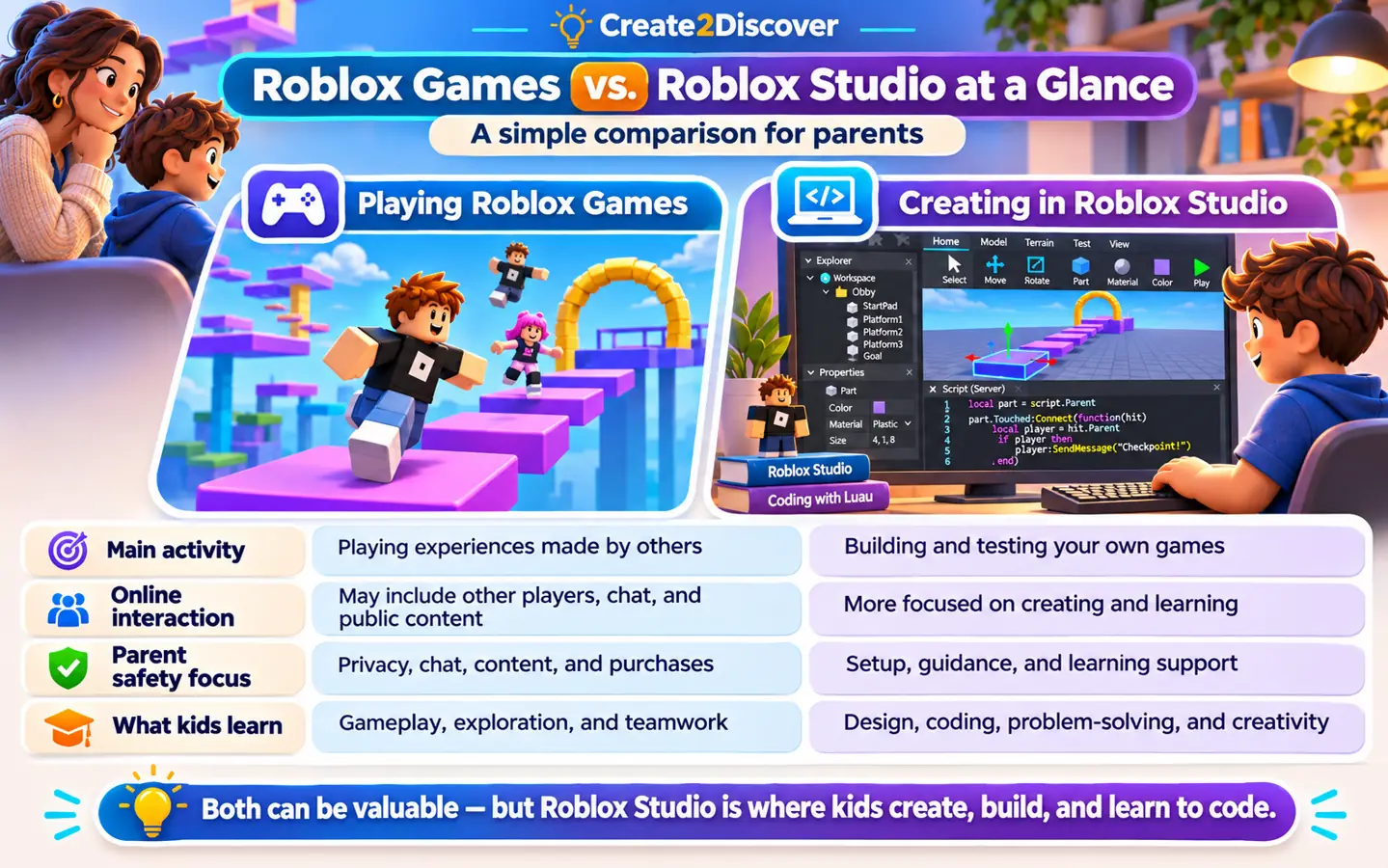
Roblox Studio is a game-development tool, somewhat like Unity or other game engines. It gives beginners access to 3D modeling tools, scripting, physics, animation, and interactive game design.
Students can build an obstacle course, program a door to open, create a moving platform, or write code that responds when a player touches an object. They can then test their creation inside Studio without joining a public game.
This process involves much more than playing. Students are learning how software works.
Why parents have legitimate concerns about Roblox
The public Roblox gaming environment presents challenges that are different from those of a structured coding lesson.
Roblox includes an enormous variety of experiences created by independent developers. Depending on the game and a child’s account settings, concerns may include inappropriate content, interactions with other users, cyberbullying, spending pressure, and excessive screen time.
Roblox has introduced additional protections, including age-based accounts, content restrictions, parental controls, and age checks for certain communication features. These improvements matter, but no collection of safety settings eliminates every risk.
Parents still need to understand what their children are doing online, which experiences they can access, and whom they can communicate with.
At Create2Discover, we do not believe parents need to ignore these concerns simply because Roblox offers educational opportunities. Instead, we distinguish between the public gaming environment and the creative software used to build games.
Is Roblox Studio completely separate and safe?
Roblox Studio is a separate application, but it is still connected to the broader Roblox ecosystem.
A student needs a Roblox account to sign in. Studio includes a Creator Store with assets contributed by other developers. It also supports optional collaboration with other creators and the ability to publish games to Roblox.
For these reasons, it would be misleading to describe Studio as completely disconnected from Roblox or automatically risk-free.
None of those optional social or public-sharing activities is necessary for a child to learn the fundamentals of coding and game design.
Students can build and test their own projects in Studio. Roblox also gives parents a setting to disable live collaboration with other creators. This makes it possible to approach Roblox Studio as a focused creative learning environment rather than as an invitation to explore public multiplayer games.
How Create2Discover uses Roblox Studio
Our Roblox coding lessons focus on the creation process. Students work in Roblox Studio to learn how to build game environments, develop interactive behaviors, understand code, and solve technical problems.
We do not use public Roblox multiplayer games as classroom activities or have students play online with strangers as part of our lessons.
Instead, students practice skills such as:
- Designing original game environments and making creative decisions.
- Writing Luau scripts that control what happens in a game.
- Testing their projects and figuring out why something works—or doesn’t.
- Breaking complicated ideas into manageable steps.
- Improving their creations through experimentation and feedback.
When a student clicks Play inside Roblox Studio, the purpose is to test a game they are developing, not to join an unrelated public experience.
Some courses introduce how saving, publishing, and sharing work. Learning about these features does not require making a project publicly available. Families should remain involved in decisions about public sharing.
Our goal is for children to learn to create technology rather than simply consume it.
Turning screen time into creative learning
There is a meaningful difference between spending an hour playing someone else’s game and spending an hour figuring out how to make your own.
Consider a student who wants to build an obstacle course. First, they design the course using parts and objects. Then they write code to make a platform disappear when touched.
Perhaps the code does not work the first time.
The student must investigate the problem, examine their assumptions, test a correction, and try again. Along the way, they practice persistence, computational thinking, independent problem-solving, and creativity.
Those habits extend beyond Roblox Studio. Understanding how systems work—and how to evaluate and improve them—can also help prepare students to use more advanced technology, including AI tools, thoughtfully.
The game is the motivating project. The learning happens through creating it.
What parents can do to manage Roblox safety
Even when your child is primarily interested in coding, it is worth reviewing their Roblox account together.
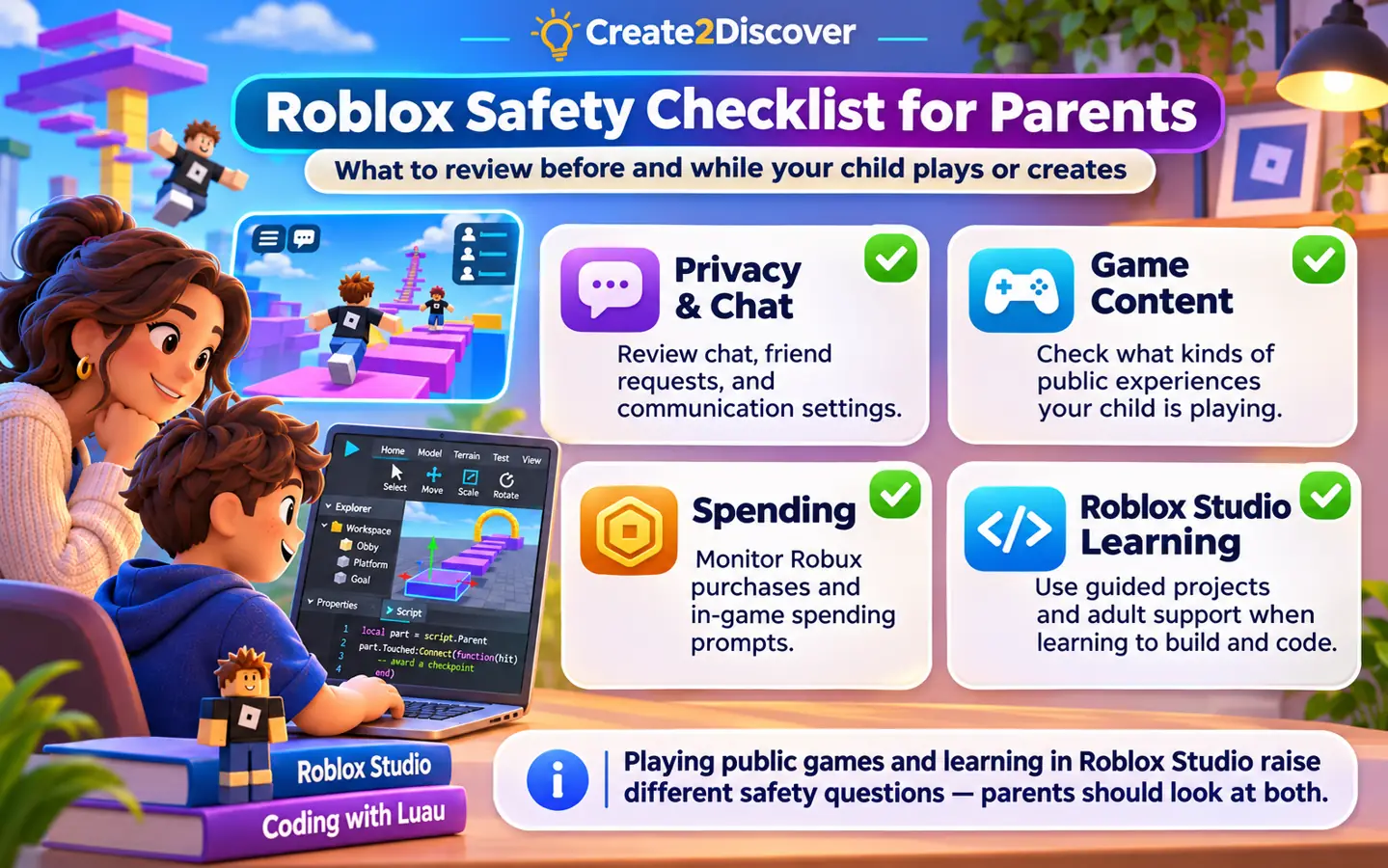
- Set up parental controls. Link a parent account where appropriate and review content maturity, communication, screen-time, and spending settings.
- Review communication access. Check who can communicate with your child. If collaboration with other Roblox creators is unnecessary, consider setting Live collaboration in Studio to No one.
- Discuss public sharing. Make sure your child understands that creating a project is different from making it publicly available. Decide together whether and when sharing is appropriate.
- Be cautious with third-party assets. The Studio Creator Store contains useful community-made models, scripts, and plugins, but not every asset should be trusted without review.
- Keep the conversation going. Ask your child what they are building, whom they interact with online, and what they should do if something makes them uncomfortable.
Roblox changes its safety tools periodically, so it is worth checking its latest official guidance.
Useful references include Roblox Parental Controls, Roblox Studio Parental Controls, and Roblox Studio testing modes.
Frequently asked questions
Does my child need to play Roblox games to learn Roblox Studio?
No. Children can learn to design, program, and test their own games inside Roblox Studio without participating in public multiplayer experiences.
Does my child still need a Roblox account?
Yes. Roblox Studio requires a Roblox account, even when the student’s primary activity is creating games rather than playing them.
Will my child interact with strangers during Create2Discover Roblox lessons?
Our lessons do not involve joining public Roblox games or playing with strangers on the Roblox platform. In live group classes, students may communicate with their instructor and classmates through the online lesson environment.
Is Roblox Studio safe for children?
It provides a different learning environment from public Roblox gameplay, but it is not completely isolated from the Roblox ecosystem. Parents should still manage accounts, privacy settings, collaboration permissions, and any public-sharing activities.
Can my child create a complete game without publishing it publicly?
Yes. Students can build and test their projects privately. Making a game publicly available is a separate decision.
Helping children become creators
Parents should not have to choose between taking online safety seriously and giving their children opportunities to explore coding and game design.
We can recognize the genuine concerns surrounding public Roblox gameplay while also recognizing the educational value of its creation tools.
At Create2Discover, that is the distinction we want families to understand.
We use Roblox Studio to teach children how to create—not simply how to play.
If your child enjoys Roblox but you want their interest to lead toward coding, creativity, and meaningful skill development, explore our 1-on-1 Roblox Studio tutoring or start with our beginner Roblox Studio building lesson.
Try four free creation lessons
Parents and guardians can get four free game-creation lessons, including Roblox Studio building and scripting. An adult should review the email consent terms before subscribing.
Ready to explore coding lessons?
See how Create2Discover turns interest in Roblox into hands-on building, scripting, testing, and independent problem-solving.
Roblox account and safety features can change. Review current settings directly with Roblox. This article is educational guidance, not a guarantee that any online platform is risk-free.